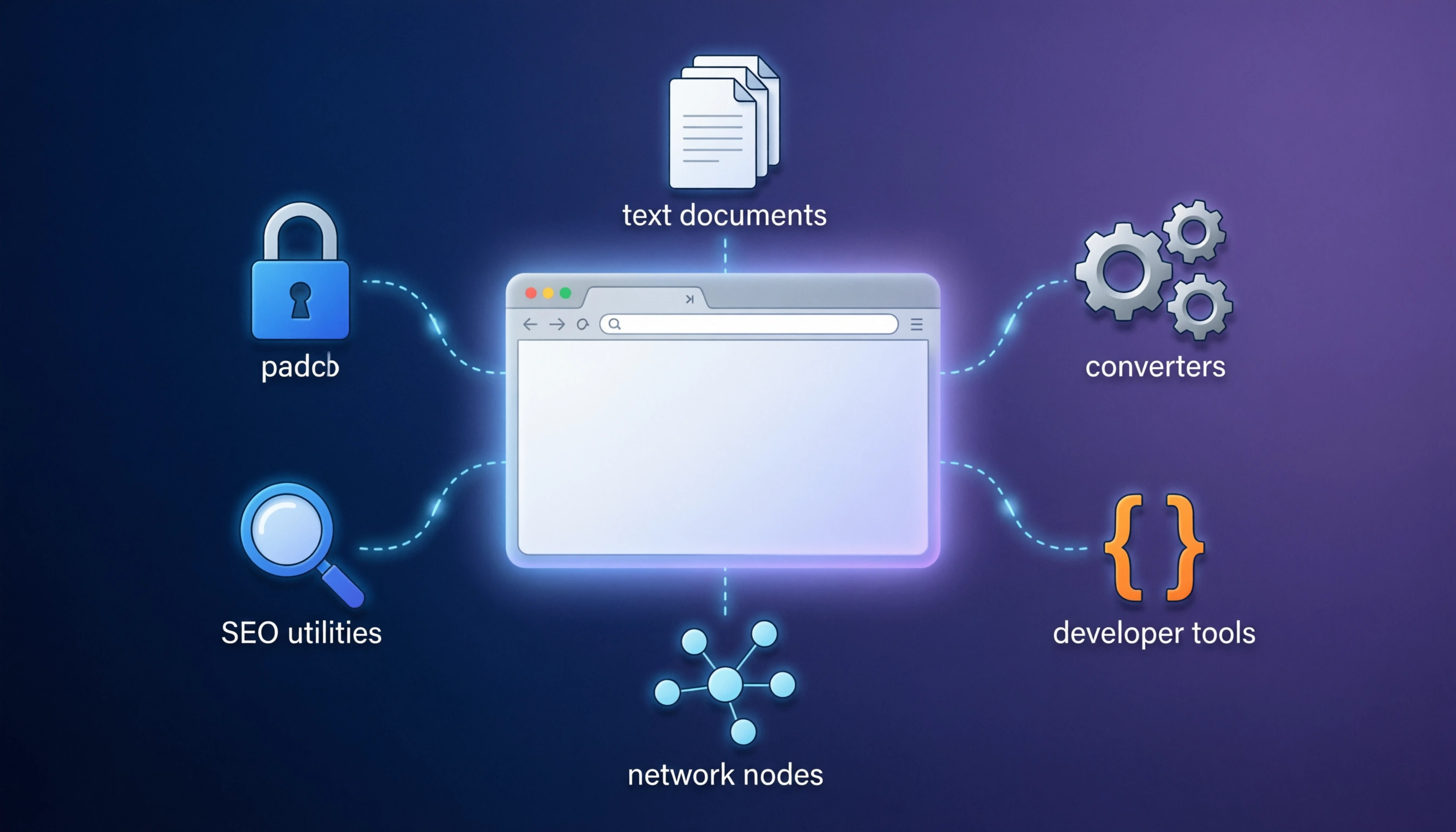
web utilities have become essential companions for anyone navigating the internet. These lightweight, browser-based tools offer instant solutions without requiring downloads or installations, making them perfect for quick tasks and daily productivity. Whether you're a professional managing multiple projects, a student organizing research, or simply someone looking to streamline online activities, free web utilities can transform how you work and browse.
Understanding Web Utilities
Web utilities are online tools that perform specific functions directly in your browser. Unlike traditional software, they require no installation, work across all platforms, and are accessible from anywhere with an internet connection. This accessibility makes them invaluable for modern digital workflows, especially in an era where we often switch between devices throughout the day.
The beauty of web utilities lies in their simplicity and specificity. Rather than downloading bulky software packages with features you'll never use, you can access precisely the tool you need at the moment you need it. This approach not only saves storage space but also reduces security risks associated with installing unknown applications.
Essential Categories of Web Utilities
Text Processing and Manipulation
Text manipulation tools have become indispensable for content creators, developers, and anyone working with written content. These utilities handle everything from basic formatting to complex conversions. The duplicate lines remover on AIWebTools.digital, for instance, helps clean up text files by eliminating redundant entries, which is particularly useful when working with data exports or consolidating lists from multiple sources.
Case conversion tools transform text between different formats like uppercase, lowercase, and camelCase, essential for programmers maintaining consistent coding styles. Character counters help writers stay within word limits for social media posts, academic papers, or professional communications. The text separator tool allows you to restructure content by changing delimiters, converting comma-separated values to line-separated ones, or vice versa.
For those working with email lists or web scraping, extractors can pull specific information like email addresses or URLs from large blocks of text. This automation saves countless hours of manual copying and pasting. Text-to-speech converters, such as the one available at AIWebTools.digital, use Google's translator API to convert written content into audio, beneficial for accessibility, language learning, or simply giving your eyes a rest during long reading sessions.
Security and Password Management
Online security has never been more critical, and web utilities play a vital role in maintaining digital safety. Password generators create strong, random passwords that resist brute-force attacks and common hacking techniques. The password generator at AIWebTools allows customization of length and complexity, ensuring passwords meet specific security requirements for different platforms.
Password strength checkers evaluate the robustness of your existing passwords, identifying weaknesses like common patterns, dictionary words, or insufficient length. These tools typically assign a score and provide suggestions for improvement, helping users understand what makes a password truly secure.
Hash generators serve a different but equally important security function. They create cryptographic representations of data, useful for verifying file integrity, storing passwords securely in databases, or implementing digital signatures. From MD5 to SHA-512, various hashing algorithms serve different security needs, with AIWebTools.digital offering multiple options including MD5, SHA-256, and other hash generators.
Conversion Tools
Conversion utilities bridge format gaps, enabling seamless transitions between different data types and standards. Image converters transform files between formats like PNG, JPG, WebP, and others, optimizing for different use cases. For example, converting PNG to WebP can significantly reduce file sizes for web publishing while maintaining visual quality.
Data encoding tools like Base64 encoders and decoders are essential for developers working with APIs, email attachments, or embedding images in HTML and CSS. The Base64 encoder and decoder on AIWebTools simplify these common development tasks.
Unit converters handle everyday calculations, from temperature conversions between Celsius and Fahrenheit to speed conversions between mph and kph. The Kph to Mph converter helps travelers, drivers, and anyone working with international speed limits understand measurements in their preferred system.
Time converters are particularly valuable for global teams and remote workers. Unix timestamp converters translate between human-readable dates and Unix time, crucial for programming, database management, and understanding server logs.
Developer Tools
Web developers rely heavily on utilities that streamline code management and debugging. Code minifiers reduce file sizes by removing unnecessary characters from HTML, CSS, and JavaScript without affecting functionality. The HTML minifier, CSS minifier, and JS minifier tools help optimize website performance by reducing page load times.
JSON validators and beautifiers ensure API responses and configuration files are properly formatted and error-free. The JSON validator & beautifier on AIWebTools checks syntax while making code more readable through proper indentation and spacing.
URL and parameter parsing tools help developers understand complex web addresses, breaking them into components like protocol, domain, path, and query parameters. HTML entity converters encode or decode special characters, ensuring text displays correctly across different contexts.
BBCode to HTML converters assist forum administrators and content managers in translating bulletin board code into web-standard HTML, facilitating content migration and cross-platform publishing.
Network and Domain Tools
Network utilities provide insights into website infrastructure and connectivity. DNS lookup tools query domain name system records, revealing how domain names resolve to IP addresses. The DNS Lookup tool can find A, AAAA, CNAME, MX, NS, TXT, and SOA records, essential information for troubleshooting email delivery, verifying domain ownership, or understanding website architecture.
IP lookup services provide geolocation and network information about any IP address. This data helps identify visitor locations, diagnose connection issues, or investigate suspicious activity. Reverse IP lookups take an IP address and attempt to find associated domain names, useful for discovering what websites share a hosting server.
SSL certificate checkers examine the security certificates protecting websites, verifying validity, encryption strength, and expiration dates. The SSL Lookup tool ensures your secure connections are truly secure.
Whois lookups reveal registration details about domain names, including registrant information, creation dates, and expiration dates. This transparency aids in due diligence when purchasing domains, investigating competitors, or verifying website legitimacy.
Ping utilities test server responsiveness and connection quality, measuring the time it takes for data to travel between your device and a remote server. These tools diagnose connectivity problems and assess network performance.
Link Generation and Management
Link generators create specialized URLs for specific purposes, enhancing marketing efforts and user experience. The UTM link generator adds tracking parameters to URLs, enabling precise measurement of marketing campaign effectiveness across different channels, sources, and mediums.
PayPal link generators create payment links with pre-filled amounts and descriptions, streamlining e-commerce transactions and donation collection. The PayPal link generator simplifies the payment process for both merchants and customers.
Mailto link generators create email links that open the user's default email client with pre-populated recipients, subjects, and body text. The Mailto link generator even provides the HTML code needed to implement these links on websites.
WhatsApp link generators create direct message links, valuable for customer service, marketing campaigns, and social media integration. The WhatsApp link generator makes it easy to connect with customers on their preferred messaging platform.
YouTube timestamp link generators create URLs that start videos at specific moments, perfect for sharing relevant content sections or creating video tutorials with precise navigation. The YouTube Timestamp link generator is particularly helpful for mobile users who might struggle with manual timestamp navigation.
Data and Content Generators
Content generation tools help developers, designers, and content creators quickly produce placeholder or functional content. Lorem Ipsum generators create dummy text for design mockups and layouts, allowing focus on visual aspects without getting distracted by actual content. The Lorem Ipsum generator provides customizable amounts of placeholder text.
UUID generators create universally unique identifiers used in databases, APIs, and distributed systems. The UUID v4 generator ensures truly unique identifiers critical for data integrity.
Random number generators serve various purposes, from simple dice rolls to complex statistical sampling. The random number generator lets you specify ranges and generate multiple numbers simultaneously.
Signature generators help create digital signatures for emails and documents without expensive software. The Signature generator allows custom signature creation and provides downloadable files.
SEO and Marketing Tools
Search engine optimization utilities help website owners understand and improve their online visibility. Meta tags checkers verify that websites have proper metadata for search engines and social media platforms. The Meta tags checker examines title tags, descriptions, Open Graph tags, and Twitter Card metadata.
Google cache checkers determine if and when Google last indexed a webpage, useful for monitoring SEO updates and understanding search engine crawl behavior. Safe URL checkers verify whether Google has flagged URLs as malicious, protecting users and maintaining website reputation.
URL redirect checkers follow the chain of redirects from an initial URL to its final destination, helping identify issues with 301 and 302 redirects that might impact SEO performance.
Website hosting checkers identify the hosting provider for any domain, useful for competitive research, due diligence, or finding reliable hosting options based on successful websites in your niche.
Platforms Offering Comprehensive Tool Collections
AIWebTools.digital
AIWebTools.digital stands out with an impressive collection of over 1,880 free web tools organized into intuitive categories. The platform's strength lies in its comprehensive coverage of everyday needs, from basic text manipulation to advanced developer utilities. Each tool features a clean, focused interface designed for efficiency, and the entire collection works seamlessly across all browsers and devices.
The platform excels in several areas. Its text tools category offers extensive options for content manipulation, including specialized converters for different text encodings and formats. The security section provides numerous hash generators and password utilities essential for modern web security practices. Developer tools include minifiers, beautifiers, and validators that streamline coding workflows.
What makes AIWebTools particularly valuable is its commitment to accessibility and speed. Tools load instantly, require no registration for basic use, and produce results immediately. The platform regularly updates its offerings and adds new tools based on user needs and technological trends.
SmallSEOTools
SmallSEOTools focuses heavily on search engine optimization and content marketing utilities. The platform offers plagiarism checkers, keyword research tools, and various text analysis features particularly useful for content creators and digital marketers. While many tools are free, some premium features require subscription or payment.
Online-Convert
Online-Convert specializes in file conversion across numerous formats. From documents and images to videos and audio files, the platform handles complex conversions that go beyond simple format changes, often including options for quality adjustment, compression, and other customization.
ConvertCase
ConvertCase dedicates itself to text transformation, offering every conceivable case conversion from sentence case to alternating case. The simple interface and instant results make it ideal for quick text formatting tasks.
Benefits of Using Web Utilities
Web utilities offer numerous advantages over traditional software solutions. Accessibility tops the list, as these tools work from any device with a browser and internet connection. This cross-platform compatibility eliminates the frustration of finding device-specific software or dealing with compatibility issues between operating systems.
Cost-effectiveness represents another significant benefit. Most web utilities are completely free or offer free tiers sufficient for personal use. This democratizes access to professional tools that might otherwise require expensive software subscriptions.
The lightweight nature of web utilities means they don't consume local storage or system resources. Unlike installed applications that can slow down computers over time, web utilities operate entirely online, keeping your device fast and responsive.
Security benefits include reduced exposure to malware since you're not downloading and installing potentially unsafe applications. However, users should still verify they're using reputable platforms, particularly when handling sensitive data.
Instant updates ensure you always have access to the latest features and security improvements without manual intervention. When developers update a web utility, all users immediately benefit from the improvements.
No learning curve exists for most utilities. Their single-function focus means interfaces are typically straightforward and intuitive. Users can accomplish tasks without reading manuals or watching tutorials.
Best Practices for Using Web Utilities
When using web utilities, consider security implications, especially when handling sensitive information. Avoid entering passwords, financial data, or personal information into utilities unless the site uses HTTPS encryption and has a clear privacy policy. For sensitive operations, consider running utilities locally or using open-source alternatives you can audit.
Bookmark frequently used utilities to create a personalized toolkit accessible from your browser's toolbar. Organize bookmarks into folders by category for quick navigation.
Verify results from utilities, particularly for critical tasks like hash generation or data conversion. Cross-reference outputs using multiple tools or manual verification when accuracy is paramount.
Use browser extensions judiciously. While some utilities offer browser extensions for convenience, be selective about installations to avoid compromising performance or privacy.
Stay current with emerging tools and technologies. The web utility landscape evolves constantly, with new tools addressing previously unmet needs. Following tech blogs, productivity forums, and developer communities helps you discover valuable new resources.
Consider offline alternatives for tasks requiring privacy or working without internet access. Many web utilities have downloadable counterparts or open-source versions you can run locally.
Privacy and Security Considerations
When using web utilities, understanding data handling practices is crucial. Reputable platforms process data client-side when possible, meaning information never leaves your browser. Server-side processing should only be used when technically necessary, and trustworthy services will explicitly state their privacy practices.
Look for HTTPS encryption on utility websites, indicated by a padlock icon in the address bar. This encryption protects data in transit, preventing interception by malicious actors.
Read privacy policies before using utilities with sensitive data. Legitimate services will clearly explain what data they collect, how they use it, and whether they share it with third parties.
Consider using incognito or private browsing mode when working with confidential information in web utilities. This prevents local storage of data in browser cache and history.
For highly sensitive operations, explore open-source alternatives you can verify and audit. Many web utilities have open-source implementations available on platforms like GitHub, allowing security-conscious users to examine code before use.
The Future of Web Utilities
Web utilities continue evolving, with several trends shaping their future. Progressive Web Applications (PWAs) blur the line between web utilities and native applications, offering offline functionality and improved performance while maintaining cross-platform compatibility.
Artificial intelligence integration is expanding capabilities beyond simple transformations. AI-powered utilities can now summarize text, generate creative content, optimize images more intelligently, and even write code snippets based on natural language descriptions.
Collaborative features are becoming more common, allowing teams to use utilities together in real-time. This evolution transforms individual tools into shared workspaces supporting distributed teams.
API access is increasingly available, enabling developers to integrate utility functionality into their own applications and workflows. This extensibility multiplies the value of web utilities beyond direct browser use.
Enhanced privacy features respond to growing concerns about data security. More utilities now emphasize client-side processing, end-to-end encryption, and transparent data handling practices.
Building Your Personal Utility Toolkit
Creating an effective personal toolkit of web utilities requires identifying your most common tasks and finding the best tools for each. Start by analyzing your typical workflow and noting repetitive tasks that could benefit from automation or simplification.
Organize your toolkit logically. Browser bookmark folders provide a simple organizational structure. Consider categories like "Daily Use," "Development," "Content Creation," and "Occasional Needs." Within each category, arrange tools by frequency of use.
Test multiple tools for critical tasks to identify which interfaces and features work best for your needs. Different utilities often approach the same problem with varying philosophies, and finding your preferred approach improves efficiency.
Document your toolkit. Maintain a simple reference guide listing your preferred tools and their URLs, particularly useful when setting up new devices or helping colleagues.
Regular review and refinement keep your toolkit current. Periodically revisit your collection, removing unused bookmarks and adding newly discovered utilities. Technology evolves quickly, and today's best tool may be superseded by tomorrow's innovation.
Share your discoveries. When you find particularly useful utilities, share them with colleagues and online communities. The collective knowledge of user communities drives discovery and improvement of web utilities.
Conclusion
Web utilities have fundamentally changed how we interact with digital content and manage online tasks. Their accessibility, efficiency, and breadth of functionality make them essential tools for anyone working with computers and the internet. From simple tasks like converting file formats to complex operations like cryptographic hashing, these browser-based solutions provide professional-grade capabilities without the overhead of traditional software.
Platforms like AIWebTools.digital, with their extensive collections of free, instantly accessible tools, democratize access to utilities that were once available only through expensive software packages or required specialized knowledge to use. As technology continues advancing, web utilities will only become more powerful, integrated, and essential to digital workflows.
The key to maximizing their value lies in discovering tools that match your specific needs, organizing them for quick access, and using them thoughtfully with attention to security and privacy. By building a personalized toolkit and staying current with new developments, you can significantly enhance your productivity and capabilities online.
Whether you're managing a business, creating content, developing software, or simply navigating everyday digital tasks, investing time in exploring and adopting web utilities pays dividends in efficiency and effectiveness. The internet is full of free tools waiting to simplify your work—you just need to know where to find them and how to use them effectively.
FAQs
Q1: Are free web utilities safe to use with sensitive data?
Safety depends on the specific utility and platform. Reputable services that process data client-side (in your browser without sending it to servers) are generally safe. Always check for HTTPS encryption, read privacy policies, and avoid entering highly sensitive information like passwords or financial data into unknown utilities. For confidential work, consider using open-source alternatives you can audit or tools that explicitly state they don't store or transmit user data.
Q2: Do I need to create an account to use web utilities?
Most basic web utilities, including those on AIWebTools.digital, require no registration or account creation. They work immediately upon visiting the webpage. Some platforms offer optional accounts for saving preferences, accessing usage history, or unlocking premium features, but the core functionality typically remains accessible without signing up.
Q3: Can web utilities work offline?
Traditional web utilities require internet connectivity as they run in browsers accessing online servers. However, Progressive Web Applications (PWAs) can offer offline functionality by caching resources locally. Some utilities also have downloadable desktop versions or browser extensions that work without internet access. For offline needs, look for tools specifically designed for local operation.
Q4: How do web utilities compare to installed software in terms of performance?
Web utilities excel at quick, focused tasks and offer unmatched convenience, but intensive operations may perform better with dedicated software. For example, basic image format conversion works excellently online, while professional photo editing benefits from robust installed applications. Web utilities continuously improve in performance as browser technologies advance, narrowing the gap for many use cases.
Q5: Are there any limitations to using free web utilities?
Free web utilities may have limitations compared to premium software, such as file size restrictions, limited processing speed, fewer advanced features, or occasional advertisements. However, for most everyday tasks, these limitations don't significantly impact functionality. Many platforms offer premium tiers that remove restrictions for users with more demanding needs, while maintaining generous free tiers sufficient for typical usage.